Feedback and approvals, built into the campaign
No more screenshots in Slack, PDF markups, or approval-by-email-thread. Comments and sign-off happen on the campaign itself, pinned to the exact module they're about. Reviewers outside your company join from a private link.
Review, fix, approve, and ship. All in one place.
Feedback that lives on the campaign
No more feedback in email threads, Slack messages, or spreadsheets. Pin comments directly on the email preview, keep the discussion threaded, and resolve items as they're fixed.
- Pin comments to the exact spotClick anywhere on the email preview to drop a pin. Comments anchor to the specific module you clicked and remember whether you were looking at the desktop or mobile view.
- Threads, resolve, and reopenEvery comment is a thread. Reply, discuss, resolve when done, and reopen if the feedback comes back.
- @mentions and notificationsMention a teammate to pull them in. They get notified in-app and by email, and can filter the comment list to All or just their Mentions.
- Stale comment detectionComments know when the content they’re anchored to has changed since they were written, so reviewers never act on outdated feedback.
The headline should say “Final days” instead of “Last chance”, and can we make the CTA button bigger?
Fix it with Betty in one click
Feedback usually means a round-trip back to whoever built the campaign. Not here. Hand any comment straight to Betty, and she reads the feedback and applies the fix in the campaign.
Because Betty works within your Email Design System, every fix stays on-brand. Reviewers describe the change; Betty makes it happen.
Meet Betty, your AI sidekickApprove or request changes
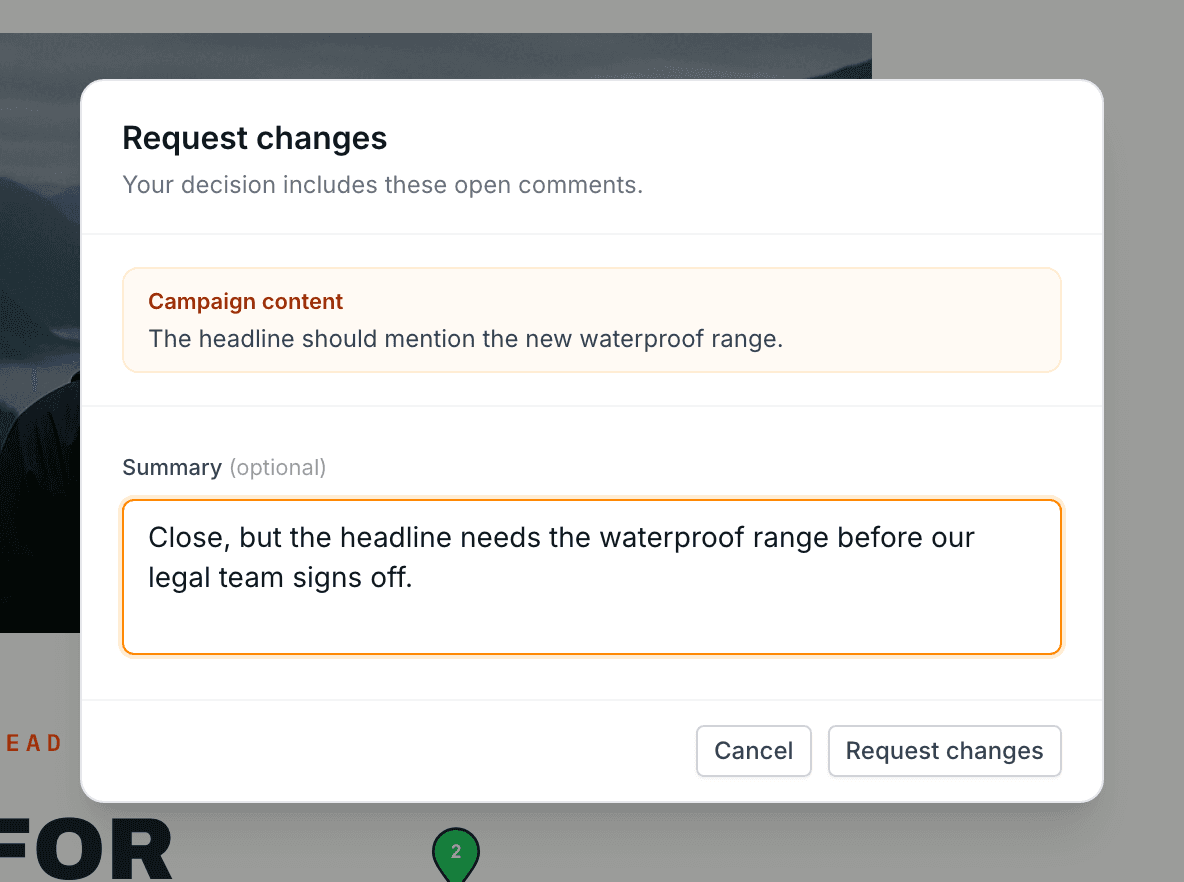
Every approver makes one of two decisions on the latest revision. Teammates and external reviewers get the same two buttons, and both decisions are recorded on the campaign.
Signs off on the current revision. Reviewers resolve their own open comments first. An approval can be revoked, and it stops counting when the campaign changes.
Sends the reviewer’s open comments to the team as one decision, with an optional summary. It stays on the campaign until the reviewer approves or updates the request.
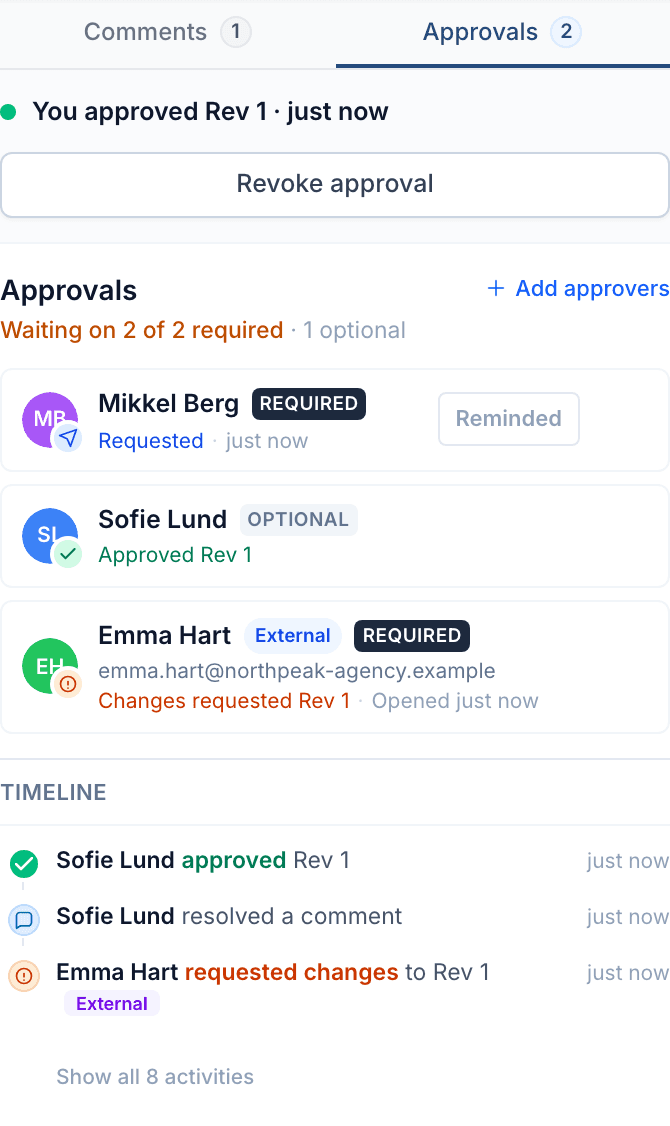
- Required and optional approversRequired approvers gate export. Optional approvers are advisory. Anyone who approves without being asked joins as an optional approver.
- Request, remind, re-requestAsk for approval in one click. Remind anyone who hasn’t answered, and re-request once the campaign has changed.
- Approvals tied to a revisionAn approval counts for the revision it was given on. A new revision needs its own approval, so nobody signs off on content they haven’t seen.
- Readiness at a glanceThe approvals panel shows where sign-off stands, from “Waiting on 2 of 3 required” to “Approved · ready to send”, with every decision in the timeline below.
Approval gating
One organization setting decides what happens when approvals are missing. Warn shows a pre-flight warning. Block stops the campaign from syncing to your ESP until every required approval is in.
Reviewers outside your company, under your logo
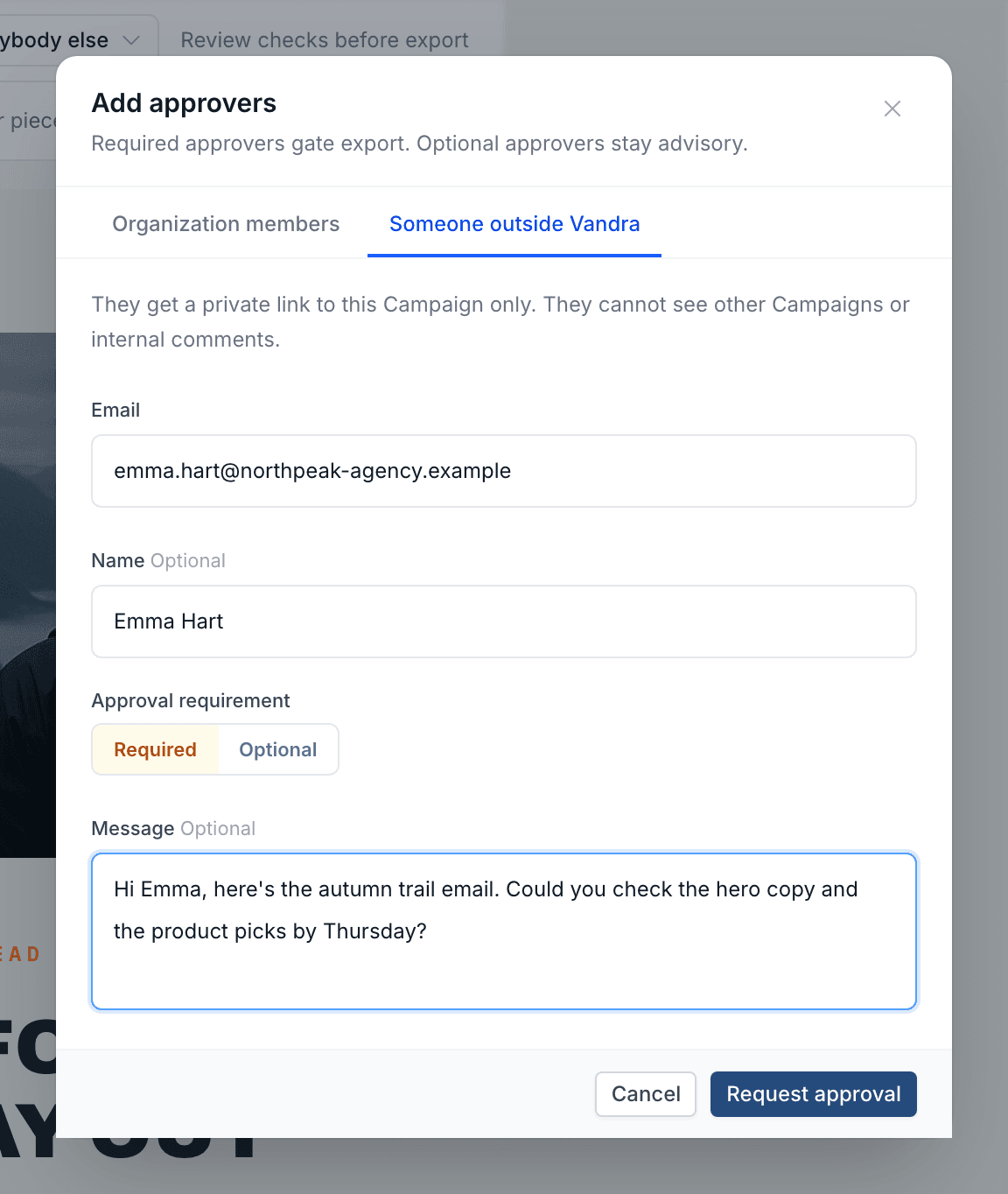
Agencies, legal, a partner brand. Invite anyone by email to review a campaign. They open a private link, with no login, on a review page that shows your organization’s logo.
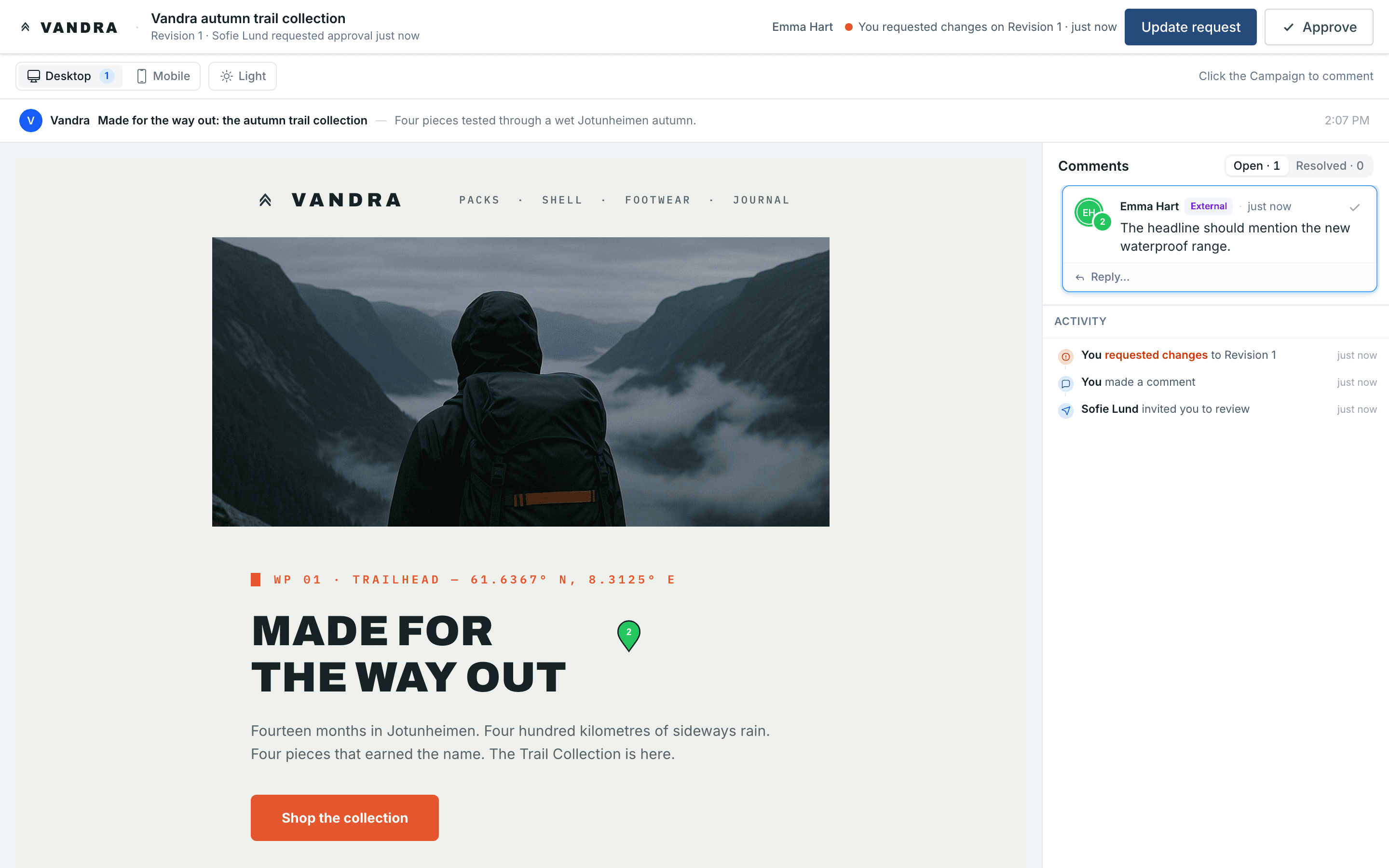
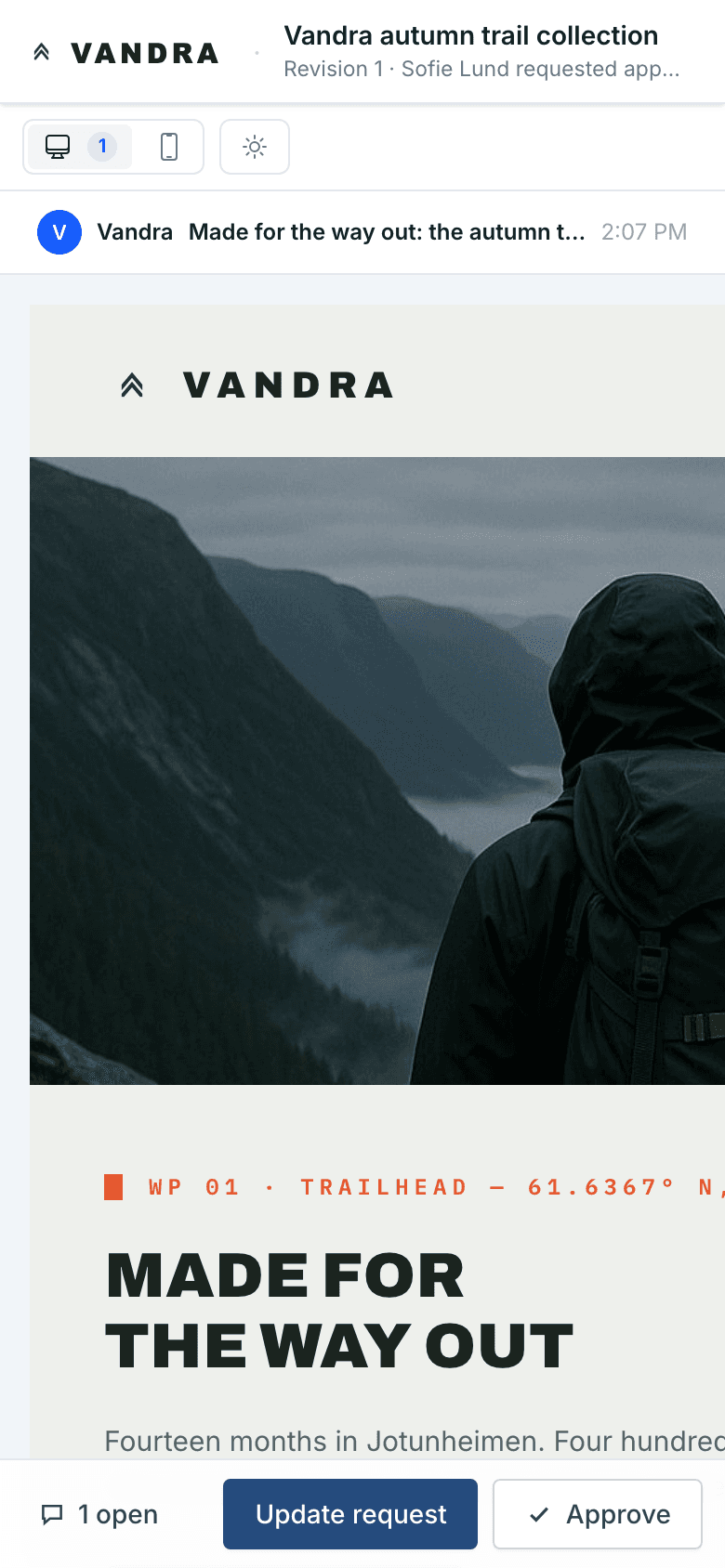
- Your logo on the review pageThe page an external reviewer opens carries your organization’s logo in the top corner, next to the campaign they were asked to review.
- No account, no seatExternal reviewers aren’t users of your organization. They need no password, don’t take a seat, and their link opens one campaign. They never see your other campaigns or your internal comments.
- The same decisions as your teamThey pin comments, approve, or request changes, on desktop or mobile. A required external reviewer counts toward the export gate like a required teammate.
- You control the linkLinks expire after 30 days. Copy, resend, or turn off a link, switch a reviewer between required and optional, or remove them.
Work together, in real time
Better Email is built for teams working on the same campaign at the same time, and every step of the workflow is logged.
Real-time collaborative editing
Multiple team members can work on the same campaign simultaneously. Live presence shows who's in the campaign right now. No version conflicts, no “final_v3_FINAL” files.
Workflow activity timeline
Every event on the campaign is logged: comments, approvals, exports, edits. When someone asks “who approved this?” or “when did we export it?”, the answer is one scroll away.
Maria edited the hero module
2 minutes ago
Julia resolved a comment
14 minutes ago
Thomas approved revision 8
1 hour ago
Anna exported to Klaviyo
Yesterday
Built for teams of every size
Granular permissions and multi-team support. Whether you're a team of 5 or an enterprise with multiple brands, Better Email scales with you.
Roles & permissions
Capability-based control over who can edit, review, and export. Designers build the Email Design System; editors create content; reviewers give feedback and sign off; admins manage the organization.
Admin
Full access: users, settings, gating
Designer
Build and manage modules
Editor
Create campaigns, edit content
Reviewer
Comment and approve, no editing
Multi-organization support
Manage multiple brands or teams from one account. Each organization has its own Email Design System, users, and settings.
Folders with per-folder sharing
Organize campaigns with hierarchical folders and control access at the folder level, for agencies and large teams.
From review to ready
Collaboration is one step in the workflow. Open comments feed straight into export readiness, so nothing ships with unresolved feedback.
Pre-flight Checks
Open comments and missing approvals are surfaced as part of export readiness, alongside automated checks for links, accessibility, and rendering.
Learn moreVisual Editor
Where the feedback gets applied: on-brand campaigns built from your Email Design System, without code or bottlenecks.
Learn moreAll features
Explore the full platform: Email Design System, Betty AI, ESP integrations, and more.
Learn moreReady to stop chasing feedback?
See how Better Email brings comments, approvals, and sign-off into the campaign itself.
Request a demo