AI Blocks, Trello, and larger image attachments

Nicki Pabst Rasmussen
Co-founder and CEO
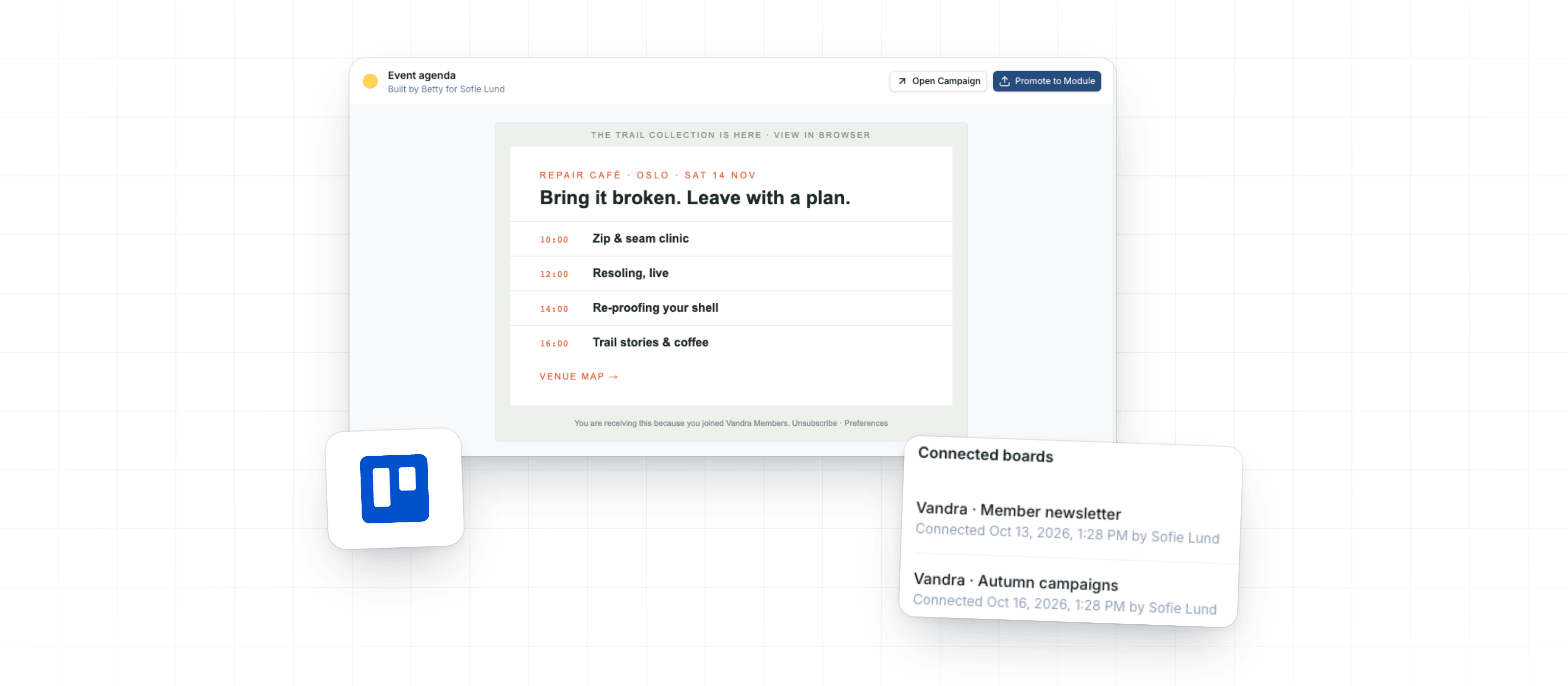
This week, you can turn Betty's AI Blocks into reusable Modules, ask her to create a Campaign from a Trello card, and attach images or GIFs up to 50 MB.
Review and reuse AI Blocks
Design System admins can now review the AI Blocks Betty created for Campaigns built with their Design System. Each block shows its prompt, follow-up requests, and a preview against the current Design System draft.
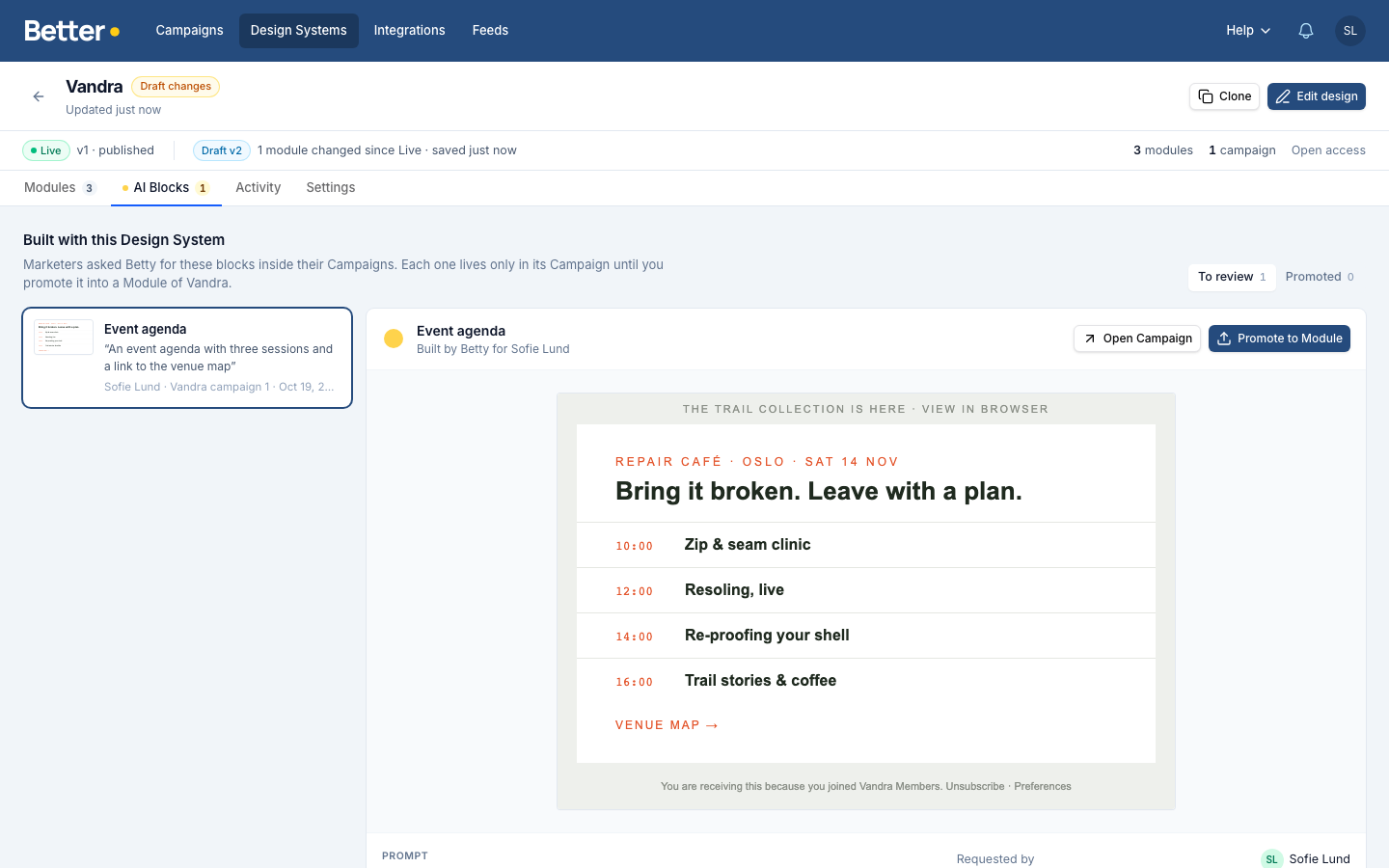
When a block is ready, choose Promote to Module to add it to your Design System draft. You can then edit the Module in that draft and publish it with the rest of the Design System version. Switch the Design System library between card and list views. Card view shows previews of each Module in its Template Base.
Ask Betty for a Campaign from Trello
An admin can connect a Trello board in Settings → Betty AI → Connectors → Trello. The person connecting it authorizes with their Trello account, and the board must let members invite Betty.
Mention Betty in a card comment, or add her to the card. Betty uses the card description, comments and attached images to create a Campaign draft in Better Email, then replies on the card with a link. Her reply lists anything to fix before the Campaign goes out, such as placeholder images, copy she wrote herself or links she couldn't check. To ask for changes, mention her again on the same card.
Anyone who can comment on a connected board can ask Betty to create a Campaign draft, even without a Better Email account. Give board access only to people you want to make those requests. The Trello guide covers setup.
Attach images and GIFs up to 50 MB
You can now attach PNG, JPEG, GIF and WebP files up to 50 MB to Betty, including larger animated GIFs. When Betty adds a GIF to a Campaign, it keeps every frame from your original file.
While she works, Betty sees a still image of the file plus its size and frame count, not the animation itself. SVG files still have a 5 MB limit, and Betty may reject images wider or taller than 8,000 pixels.
See each Module in the module picker
The Campaign Editor now creates a thumbnail for Modules that do not have one, making the module picker easier to scan. The thumbnail renders the Module's default content in its Template Base, using that base's fonts and widths. Tall Modules show their top part as a square.
A thumbnail you set on the Module in the Design System still takes priority. Set one for Modules whose default content shows nothing, such as an empty repeatable list, because those show a gray box. Thumbnails are generated separately for each Design System version. After you publish a new version, the first open of the picker may take a moment while they are generated.
Improvements
- Review & approvalsExternal Reviewer now shows the sender name and BIMI logo chosen for the Campaign's Destination, matching the Campaign Editor.
- Review & approvalsIn External Reviewer, use Preview as to switch Variants. Comments on a Variant still open the right Variant, and comments and Activity stay visible as you scroll through a long email.
- Review & approvalsWhen a visual Pre-flight finding is about text inside an image, the preview now marks that image instead of the corner of the Block.
- Betty AIYour first message in a new Betty chat now appears as soon as you press send.
- Betty AIBetty now leads with the answer and calls out only the remaining work needed before you send.
- Betty AIIn a new Betty chat, Betty keeps the current Campaign in context on the Overview, Feedback and Review tabs. You can also ask her to remember a preference from any chat in Settings → Profile.
Fixes
- Review & approvalsComment pins on the header or footer now land where you click after you resize the window, on the Feedback tab and the External Reviewer page.
- Review & approvalsPre-flight no longer lists the same visual finding twice.
- Betty AIAttachments from a previous Betty conversation no longer appear in a new chat.