
Betty in Slack
Post the brief in Slack.Betty replies with the campaign
Mention @Betty in the thread where your team is already planning the campaign. She reads the brief, the replies, and the screenshots, builds the campaign in Better Email on your Design System, and posts the link back in the thread.
Vandra Kaffe
Channels
- #general
- #campaigns
- #design
- #webshop
Direct messages
- Jonas Berg
- Klara Dahl
Apps
- Betty
# campaigns
Klara Dahl09:41
Jonas Berg09:58
Maja Holm10:14
@Betty can you build the Black Friday campaign? Members get 25% off subscriptions from Thursday, everyone else from Friday. Lead with the new single-origin pouch.
webshop-subscription.png
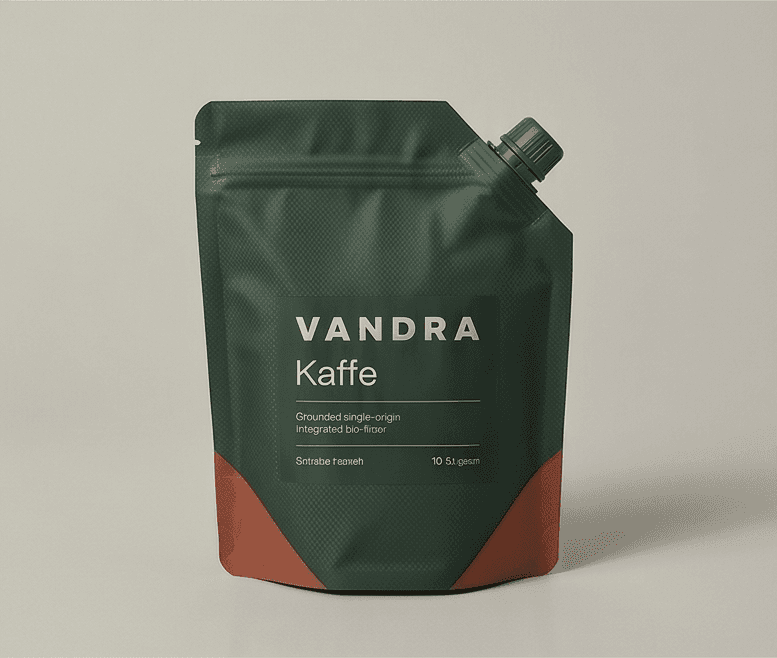
VANDRA
Single-origin pouch
129 kr every month
SubscribeThread# campaigns
Maja Holm10:14
@Betty can you build the Black Friday campaign? Members get 25% off subscriptions from Thursday, everyone else from Friday. Lead with the new single-origin pouch.
webshop-subscription.png
VANDRA
Single-origin pouch
129 kr every month
SubscribeAlso send to # campaigns
Maja posts the brief and a screenshot, and mentions @Betty.
How it works
Mention Betty where the brief already is
- 1
Mention @Betty
Tag her in any channel she’s in, or send her a direct message. Start a new thread or bring her into one that has been going all morning.
- 2
She reads the whole thread
The brief, what your teammates replied, and the images and screenshots people shared. A 👀 on your message means she’s working on it.
- 3
She replies in the thread
Betty builds the full campaign in Better Email on your Design System. Her reply lists what she built and what to check before it goes out, with a link to open the campaign. Your message gets a ✅.
Feedback in the thread
Changes go in the same thread
Mention Betty again with what to change: “make the hero shorter”, “swap the offer to 20%”. She revises the campaign she already built instead of starting over.
If the brief leaves something open, she asks in the thread and carries on once someone answers.
Thread# campaigns
Klara Dahl13:02
@Betty can you build the welcome campaign for new subscribers? First box ships free, and they get a grinder or 10% off.
BettyAPP13:03
Before I build it: should the welcome offer be the grinder or 10% off? The brief mentions both.
Klara Dahl13:05
10% off. The grinder is for the spring campaign.
BettyAPP13:07
Built Welcome to Vandra with 10% off the first box.
Open the campaign in Better EmailCampaign performance
Ask Betty how it went
Once a campaign has sent, ask in the same channel: “how did our campaigns last week do?” or “which links got the clicks?”. Betty answers from the opens, clicks, and other results your ESP sends back to Better Email.
This needs performance sync from your ESP. It’s live for Salesforce Marketing Cloud, Klaviyo, Mailchimp, Bloomreach, Agillic, Braze, HubSpot, Iterable, and Microsoft Dynamics 365.
See campaign performanceThread# campaigns
Example dataMaja HolmMon 09:12
@Betty how did our campaigns last week do?
BettyAPPMon 09:13
Two campaigns went out last week.
Black Friday: members first, Thursday 08:00
- 48.2% opens, 6.1% clicks
- Your best open rate this quarter, 6 points over your average
- Most clicks went to the member offer in the hero
Weekly newsletter, Friday 07:00
- 38.4% opens, 2.9% clicks
- In line with your last four newsletters
Jonas BergMon 09:20
@Betty which links got the clicks in Black Friday?
BettyAPPMon 09:20
Clicks by link in Black Friday:
- Hero button (vandra.dk/members): 46%
- Pouch block (vandra.dk/subscription): 31%
- Footer links: 23%
Setup
Add Betty to Slack in one click
An admin connects her from Better Email. After that, mention her in any channel she’s in.
- She works with the permissions of the person who asked
- She only reads the threads you bring her into
Slack
Mention @Betty in a channel or send her a direct message.
The same Betty that works on your boards
Betty already builds campaigns from monday.com items and Trello cards. Slack is one more place to hand her a brief.


Slack integration FAQ
Questions about Betty in Slack
An admin adds her in one click. In Better Email, go to Settings › Betty AI › Connectors › Slack and click Add to Slack. To disconnect, use the same page or remove the app in Slack.
Mention @Betty in any channel she’s in, or send her a direct message.
The thread she’s mentioned in: the brief, what your teammates said, and the images and screenshots shared there. She reads a thread only when someone mentions her in it or messages her directly. She doesn’t read the rest of your channels.
She builds the full campaign in Better Email on your Design System, then replies in the thread with a short summary of what she built, what to check before it goes out, and a link to open the campaign. The checks cover placeholder images, copy she wrote herself, and links she couldn’t verify. Your message shows 👀 while she works and ✅ when she’s done.
Yes. Mention her again in the same thread, for example “make the hero shorter” or “swap the offer to 20%”. She revises the campaign she already built instead of starting over.
Betty asks a question in the thread and carries on when you answer.
Yes. Ask in a channel or a direct message, for example “how did our campaigns last week do?”. Betty answers from the results your ESP sends back to Better Email, such as sends, opens, and clicks. This needs performance sync from your ESP, which is live for Salesforce Marketing Cloud, Klaviyo, Mailchimp, Bloomreach, Agillic, Braze, HubSpot, Iterable, and Microsoft Dynamics 365.
People with a Better Email seat. Betty works as the person who asked, with their permissions in Better Email. She matches people by the email on their Slack profile. If someone’s Slack email differs from the one they use in Better Email, they link their Slack account once.
Yes. It’s the same Betty that already builds campaigns from monday.com and Trello boards.
See Betty build from a Slack thread
Bring a real brief to a demo. We’ll post it in Slack, mention Betty, and open the campaign she builds.